
Organized
Every error in one list, grouped by project, with when it first and last occurred.
Llama Logger collects exceptions from all of your projects and puts them in front of your AI coding agent. Through the MCP server, Claude, Codex, Copilot or Cursor can search errors, read stack traces and triage what's new, and you still get an email the moment something breaks.
dotnet add package LlamaLogger.Core
v26.1.2
What's new in My CRM today?
search_logs fromDate: 2026-11-02
NullReferenceException · v2.4.1 · new
at OrderService.SendConfirmation()
Star it and note that I'm on it
star_entry ✓ add_comment ✓
Hunting for logs in several places takes time. Put every error in one place instead.
A new error just occurred in your application. Did anyone get an email about it?
Your client just called and the system isn't working. How long until you know why?
A short walkthrough of logging an exception, getting notified, and tracking it down in the app.
Every error in one list, grouped by project, with when it first and last occurred.
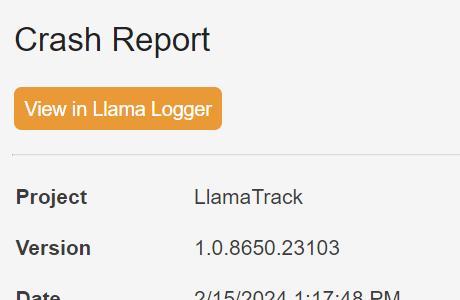
An email when a new error occurs, plus a summary email at the end of each day.

Attach custom data like the current user, and files like screenshots, to see where an error came from.

Filter, star and dismiss entries, and leave comments so you know what happened the next time it occurs.
What are the most recent errors?
search_logs pageSize: 3
The 3 most recent log entries:
NullReferenceException · My CRM · new in 2.4.1
AggregateException · LlamaTrack · ×250
InvalidOperationException · My CRM · ×41
Star the NullReferenceException for follow-up
star_entry ✓ Starred
Connect Claude, Codex, Copilot, Cursor and other AI coding agents through the MCP server. Ask about your errors, then star, dismiss, comment or create ignore rules without switching to the browser.

Fix errors before your clients report them, and stay proactive instead of reactive.
Add the LlamaLogger.Core NuGet package, create a client with your project API key, and log.
using LlamaLogger.Core;

LlamaLoggerClient client = new LlamaLoggerClient(apikey, version);
client.LogError(new InvalidOperationException("Test Exception"));
LogError in your catch blocks or global handlerChoose a Standard or Lite subscription. Go yearly and save.
Questions about pricing, integrations or your account? Send us a message and it goes straight to the Llama Logger team.